
Put AI to work in your practice
AI adoption for architecture and construction teams. Bring AI into everyday work with software, hands-on training and custom workflows.























Adopting AI is one thing. Putting it to work is another.
Struggling to turn AI training and tools into everyday design and construction work?
- Even after training, teams still outsource urgent visualization work.
- Generic AI misses details like windows and floor layouts
- Tools, training and production each need their own contract
- of firms have fully deployed an AI solution
- 8%
- worry AI will produce unintended results
- 90%
You need an AX partner who connects
architectural knowledge with real project data.
Proven on real projects
Every result here came from a live project. Each case lists the tools and the process behind it.
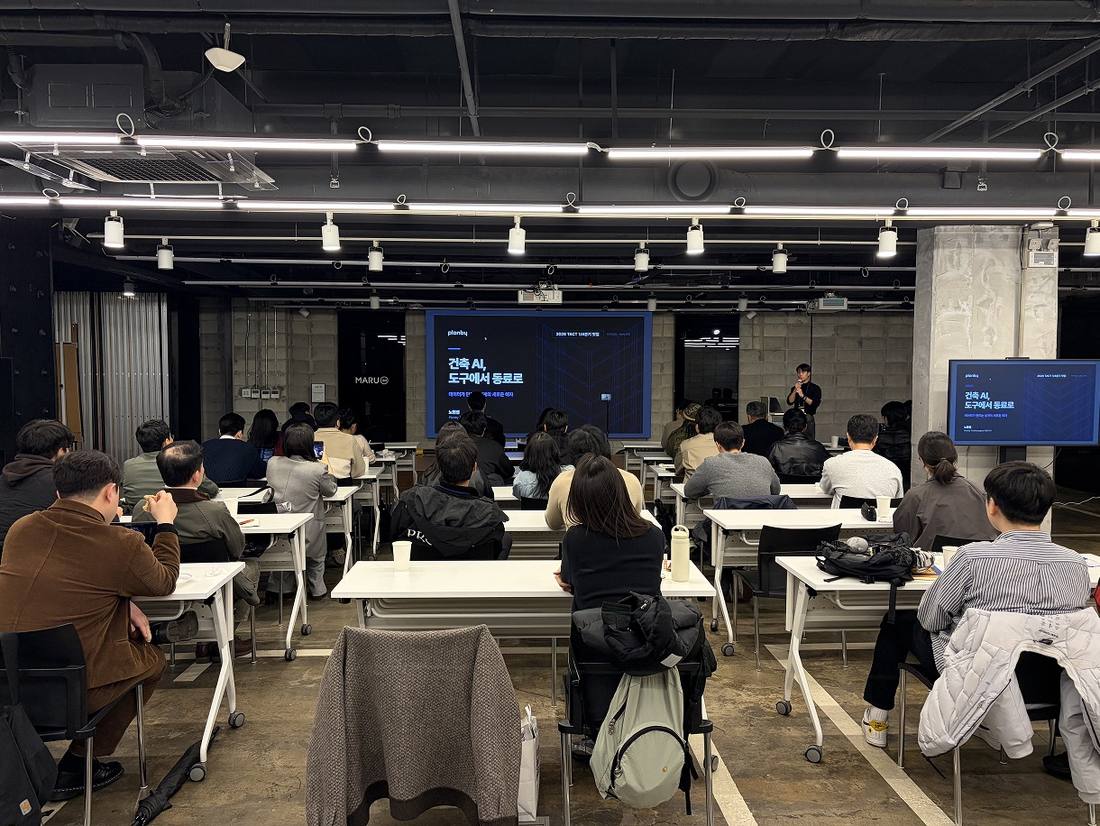
Hands-on AI training for architecture and construction
In-house training · Associations · Universities · Trade shows
Training shaped around each organization's work, for Hyunjoon Yoo Architects, Hyundai Engineering, Hyundai E&C, Lotte Department Store, Korea Airports Corporation and more. In-house sessions and association and university talks every month since Feb 2025.
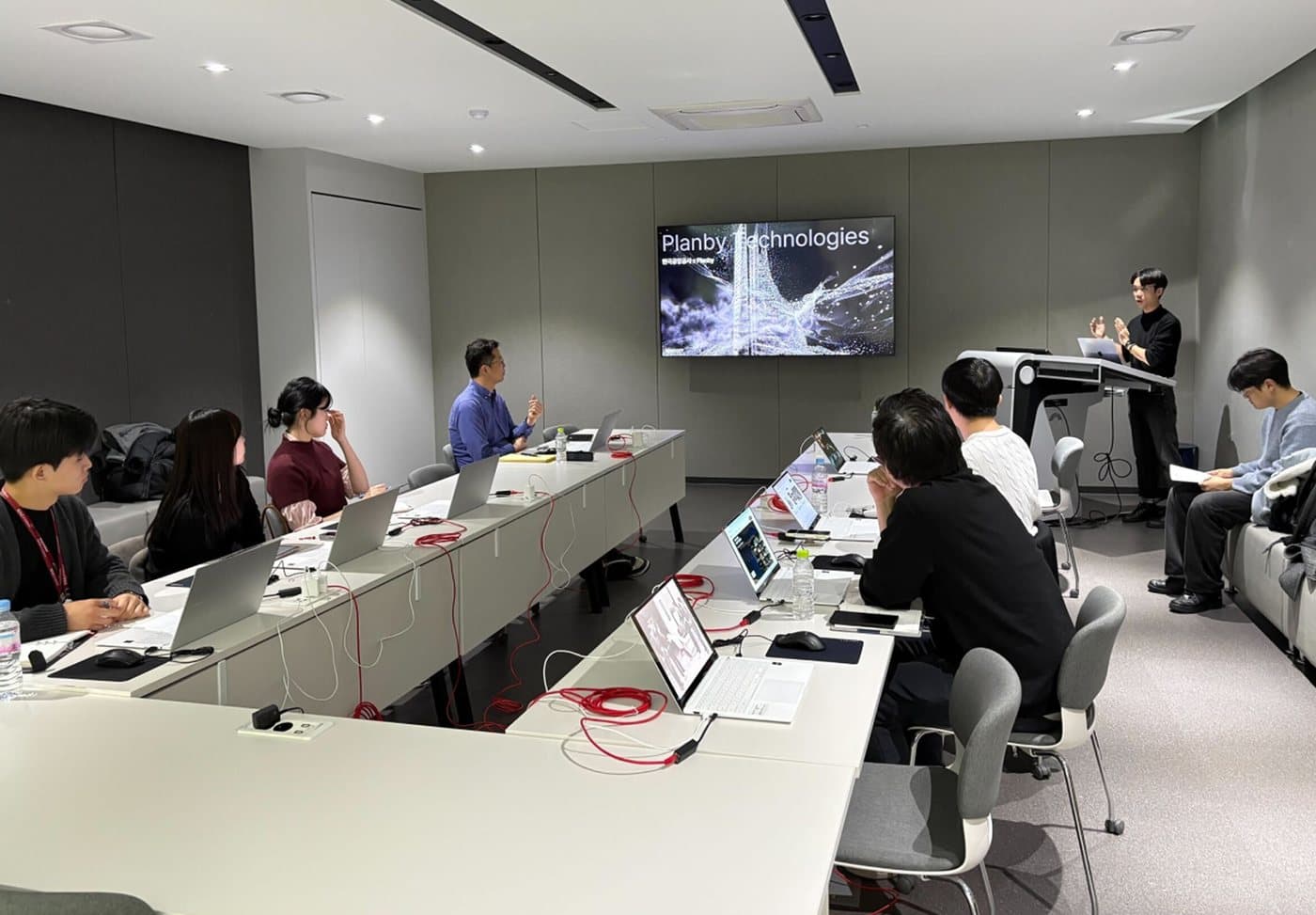
Full training and seminar history
24sessions
- 25.02Design Trend AI seminar, Korea Build Week at KINTEX
- 25.03AI training seminar, Hyunjoon Yoo Architects
- 25.03Architecture AI tools training, ADUS Architects
- 25.04ComfyUI training seminar, AVEC Design
- 25.04Panelist, Korean Society of Landscape Architects seminar on AI in landscape practice
- 25.06Aichitecture Q2 seminar
- 25.07AI interior design training for new hires, Lotte Department Store
- 25.08“Designing architectural space with AI,” Korea Build Week at COEX
- 25.08In-house AI office interior training, Hyundai Engineering
- 25.09AI seminar, Yonsei University Construction MBA
- 25.09Co-host and mentor, Archithon architecture AI hackathon
- 25.10Online AI course, Korea Construction Engineers Association
- 25.10Architecture AI seminar, KAANY (Korean American Architects of New York)
- 25.11Guest lecture, Yonsei University Dept. of Civil and Environmental Engineering
- 25.12AX training seminar, SEL Interior
- 25.12AX lecture, Hyundai E&C Technical Training Institute
- 25.12Aichitecture 2025 year-end trend report
- 26.02AX and service training, Korea Airports Corporation
- 26.03AX training, NOW Architects
- 26.04Second AX training seminar, SEL Interior
- 26.05AX training and implementation planning, HAUD Engineering
- 26.06AI training for members, Korea Specialty Contractors Association
- 26.07AI visualization workshop, Garam Architects
- 26.07AI training, A&U Design Group Architects
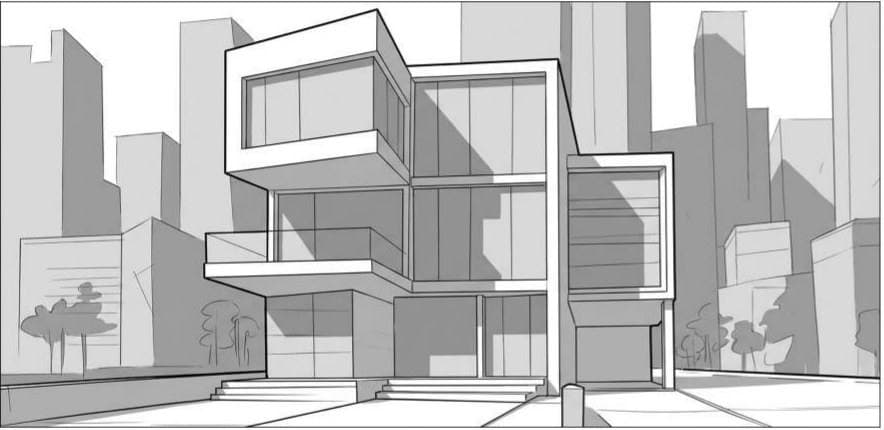
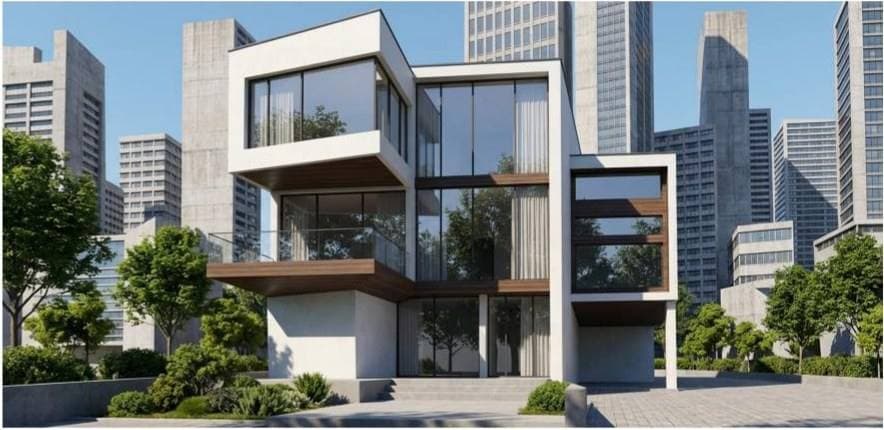
From hand sketch to proposal-ready render
Garam Architects · PLANA Render Studio
Garam Architects turned early hand sketches into photoreal renders and used them to review and discuss the design during a live proposal.

From 2D drawings to facades in real context
DAM Architects · PLAD Render Studio
The site plan and massing stay fixed; only pattern, color and material change, so facade options compare side by side. Cases A and B are different options. Case B is shown from the front and at the lower floors.
- From 2D drawings
- Same structure, different facades, multiple views
- V-World context
- Real surrounding sites and urban context
- Facade options
- Fixed layout and massing · Instant pattern, color and material renders



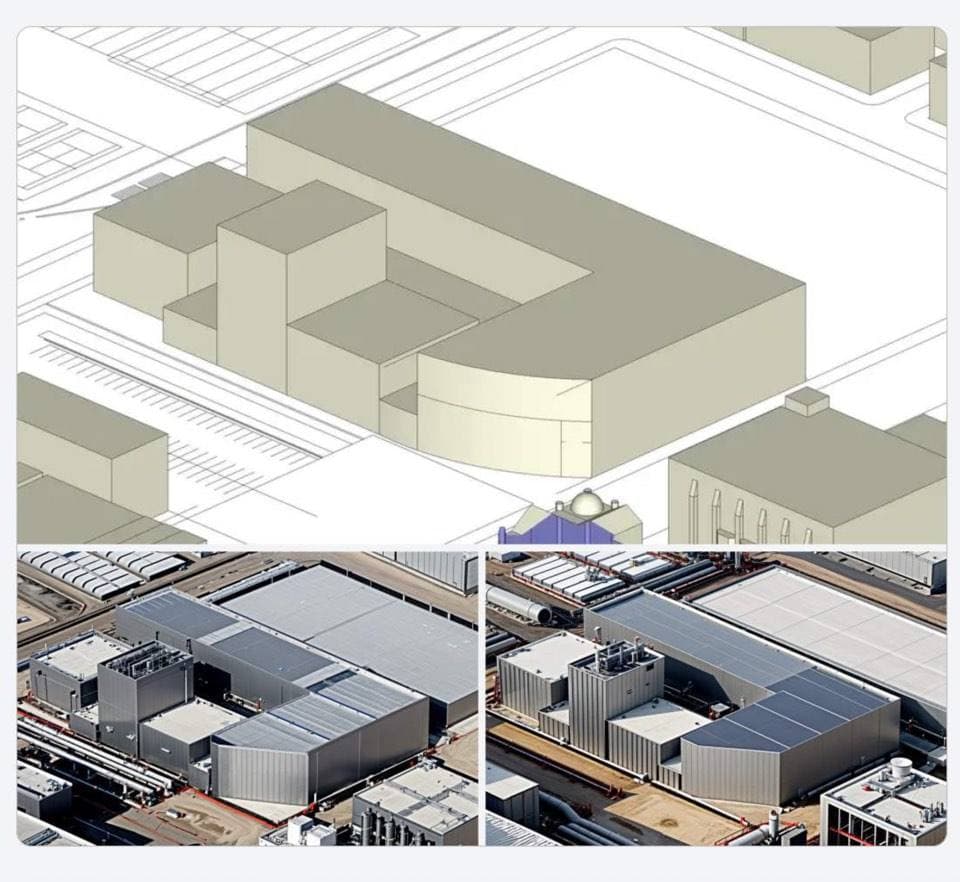
Custom AI in daily use at Samsung E&A
Custom AI for plant master plans
A generative AI solution deployed in-house at Samsung E&A. It follows drawing structure and visual standards to create images for proposals and internal communication.
- Registered users
- 100+
- Estimated regular users
- ~20
- In one day (Jul 28, 2026)
- 84tasks
Operating data as of Jul 28, 2026. Regular users estimated from usage patterns.
Aichitecture, a 1,339-member architecture AI community
Open chat · Seminars · Archithon
We run Aichitecture's open chat, regular seminars and Archithon. Seminar talks cover practical topics like “Architecture AI: from tool to teammate.” Archithon has run twice, and the third is in the works.
1,339members
Open chat members, as of Jul 29, 2026
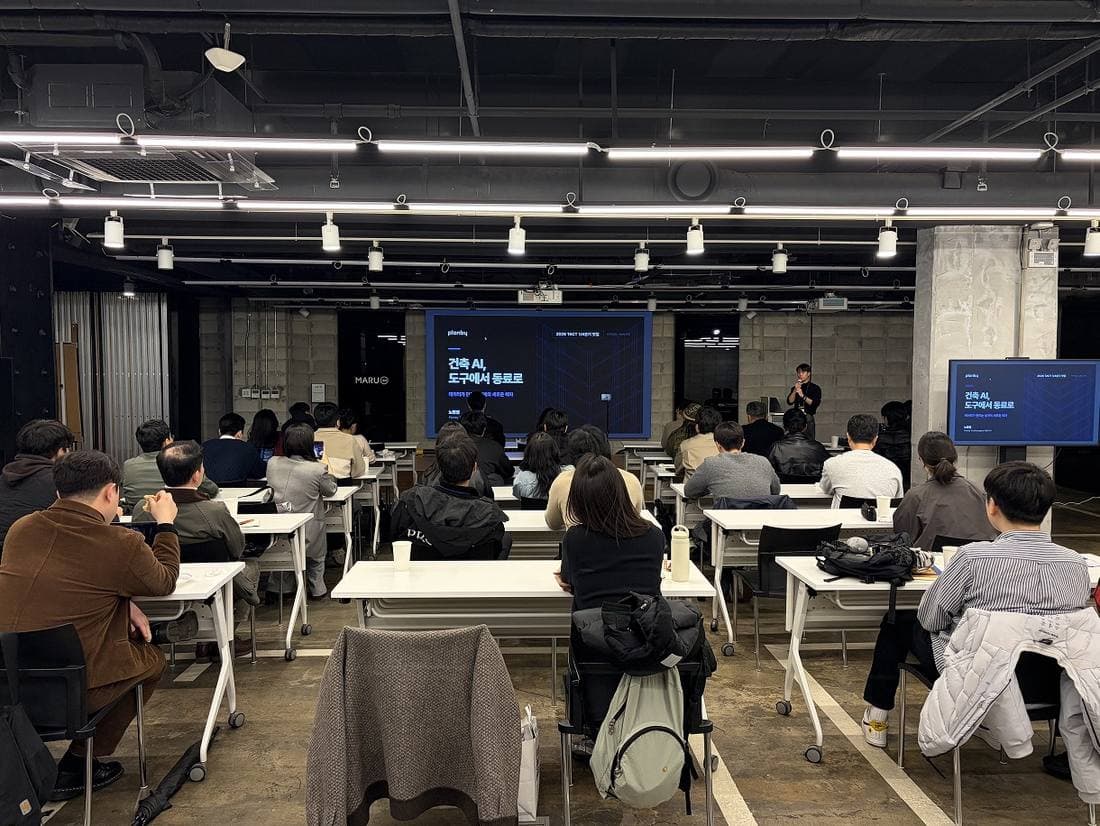


Archithon · Watch the first final presentations on Digit's YouTube ↗
Software, training and workflows, together
Software alone won't change how a firm works, and neither will training. That's what three years of bringing AI to architecture firms and contractors has taught us.
Choose your platform
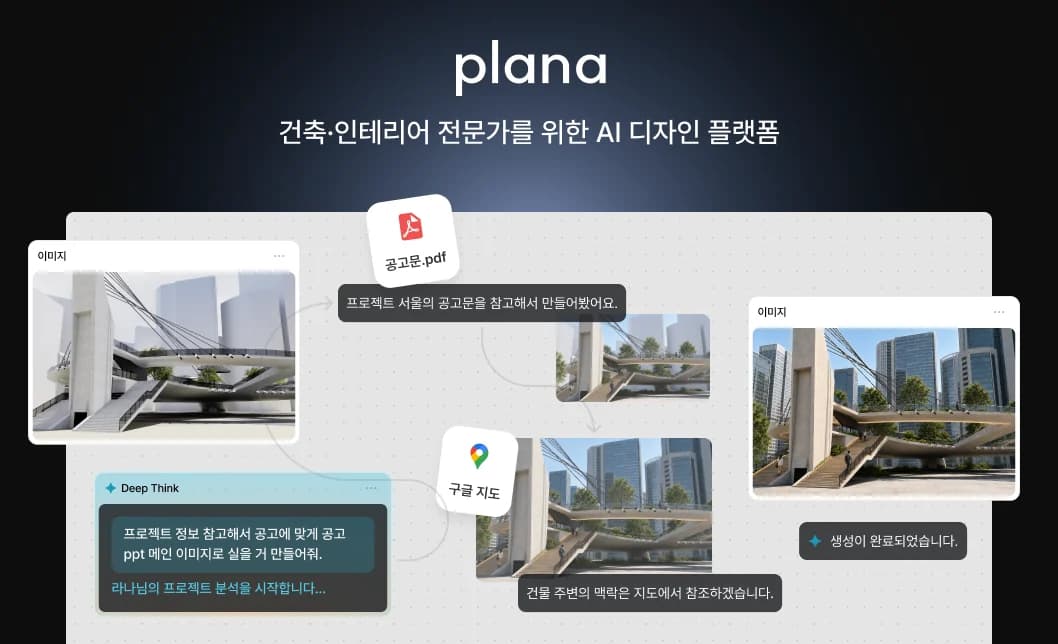
PLANA
A visualization agent that understands design intent
Turns hand sketches and early schemes into photoreal images ready for a proposal.
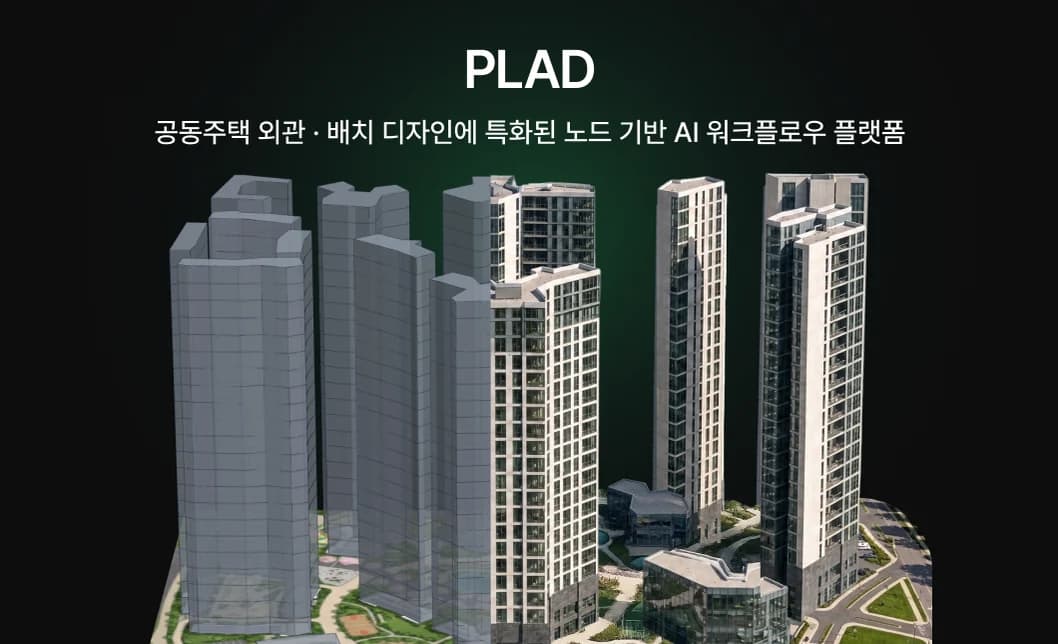
PLAD
AI workflows for apartment complex aerial and perspective renderings
Explore as many facade options and views as you need from one 2D drawing.
Also included
- AI training
- 3sessions
- Custom AI workflows
- 3workflows
- Community access
- 2people
- Membership
- 6months
Custom programs
Company-wide training · Custom AI development · Team-wide access
Scoped and priced to your organization's size and needs.
Final scope and cost depend on your chosen product, seat count and workflow scope. We'll put together a proposal after a first call.
How we train
Not generic AI training. Your team brings real design, construction and proposal work and leaves with output it can use right away. 24 sessions since Feb 2025.
24
Training sessions since Feb 2025
Session 1
Setup and first results
Everyone gets an account and makes a first output from their own project files. Even first-time users leave with a finished image.
Session 2
Into real work
We review your team's work, resolve challenges and establish shared standards for more consistent results.
Session 3
Across the company
The standards roll out company-wide, so the know-how belongs to the firm, not to a few individuals.
Where we've trained
- Architecture firms
- Hyunjoon Yoo Architects, NOW Architects, Garam Architects, A&U Design Group, ADUS
- Contractors and engineering
- Hyundai E&C Technical Training Institute, Hyundai Engineering, HAUD Engineering
- Interiors and retail
- SEL Interior, Lotte Department Store, AVEC Design
- Associations, institutions, universities
- Korea Specialty Contractors Association, Korea Construction Engineers Association, Korea Airports Corporation, Yonsei University
Custom AI workflows for three recurring tasks
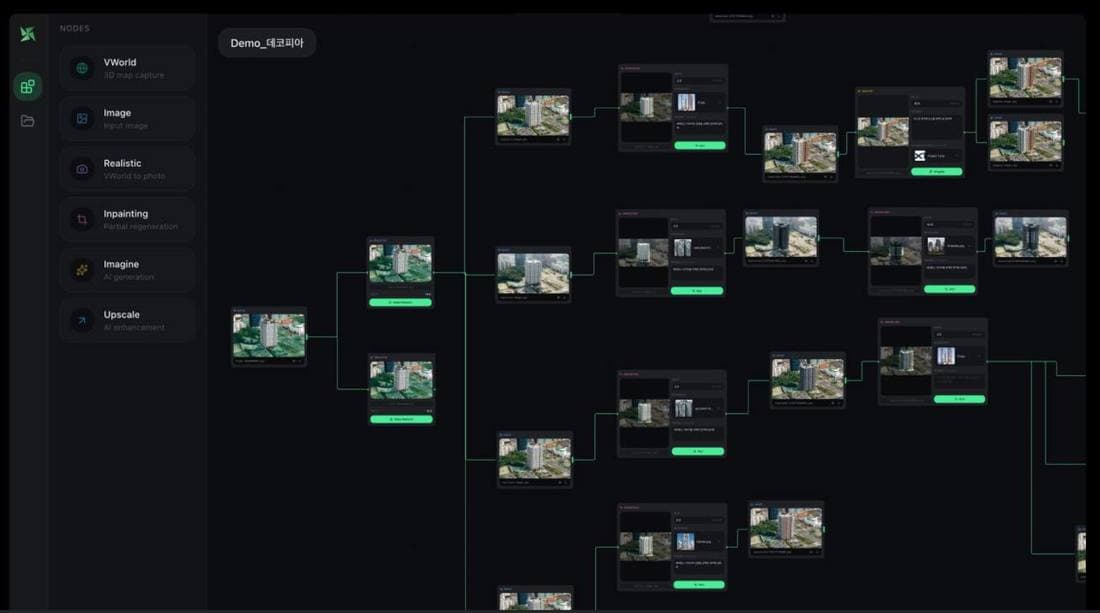
We identify three recurring tasks and build node-based workflows around your reference materials and standards, so your team can continue using them after training.
- 1
Choose tasks
Together, we identify three time-consuming recurring tasks during the assessment.
- 2
Build
We build the workflows on PLANA or PLAD, using your team's references and visual standards.
- 3
Hand off
Your team runs and tunes them through the training sessions until they're simply how the company works.
From assessment to daily use
Your inquiry leads to an assessment, a contract and onboarding. The assessment sorts out which tasks AI can take on now and which tool to start with.
Inquiry
We reply within one business day.
Assessment
We look at how you produce work today and what you need from it, then recommend a setup.
Scope and contract
Lock in PLANA or PLAD, seat count, the tasks to build workflows for, and the onboarding schedule.
Go live
Accounts are set up and the tools go into real work.
FAQ
What teams ask most before signing on. Don't see yours? Add it to your inquiry and we'll answer it on the call.
What do we actually get?
Six months of PLANA or PLAD, three AI transformation training sessions, community and event access for two people per company, and AI workflows built for three of your recurring tasks.
What's a custom AI workflow build?
In the assessment we pick the three recurring tasks that take the most time, build them as node workflows on your team's references and standards, and hand them over. Your team runs and refines them through the training sessions.
Can we keep working with our existing visualization partners?
Yes. Keep working with your existing partners and move recurring tasks to AI workflows first.
Do we need to install anything?
No. It all runs in the browser.
What do we need to get started?
A sketch, massing model, drawing or site photo, plus one reference image, is enough to start.
Can we reuse past work and references?
Yes. Work history and references are saved per project, ready for the next job.
How is pricing set?
It depends on PLANA or PLAD, seat count and workflow scope. We'll recommend a setup and quote on the call.
How does the training work?
Three sessions over six months: onboarding, follow-up and company-wide. It isn't a lecture on AI. Your team works through the design, construction and proposal tasks it actually handles and produces real output. We've run in-house sessions and association and university talks every month since Feb 2025, 24 so far.
No one on our team knows AI. Is that a problem?
No. We're with you from account setup through hands-on work on real projects.
Won't results vary every time?
Somewhat. References and node workflows narrow the variation, and the workflows we build carry your team's standards so results stay consistent.
Find the right setup for your projects
Tell us what you're working on. We'll recommend a setup, estimate the cost, and help you decide which product fits and which team should train first.
Or email contact@planby.us