In architectural design, timelines are tight, expectations are high, and delays can cost more than just money; they can cost trust. Every phase of a project, from concept to presentation, demands speed and precision. But for years, one step has consistently slowed things down: 3D rendering.
Architects and design firms have accepted it as a necessary bottleneck, a complex and resource-heavy task that can take hours, days, or even weeks depending on the scope of the project. But with recent advances in generative AI, this is starting to change. Plana introduces a way to render faster, with less friction, and at scale.
The Hidden Cost of Traditional Rendering
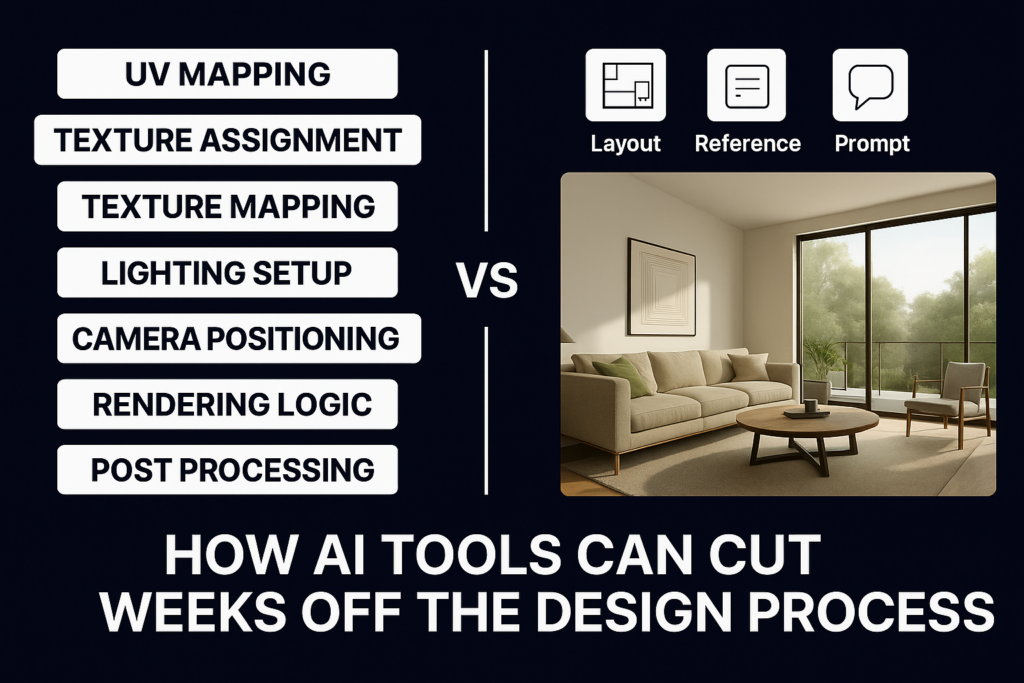
Rendering is often misunderstood as a single step. In reality, it’s a dense workflow involving multiple layers of manual setup:
- UV Mapping: The process of unwrapping a 3D model’s surface to create a 2D template for texture mapping.
- Texture Assignment: Applying 2D images or materials to the 3D model’s UV map to define its surface appearance.
- Lighting Setup: Placing and configuring light sources in the 3D scene to simulate realistic or artistic illumination.
- Camera Positioning: Determining the viewpoint and angles from which the scene will be captured in the render.
- Rendering Logic: The computational process of generating a 2D image from the 3D scene, applying textures, lighting, and camera settings.
- Post-processing: Enhancing or modifying the rendered image with effects like color correction, compositing, or adding visual effects.
- Exporting: Saving the final rendered image or animation in a desired file format for use or sharing.
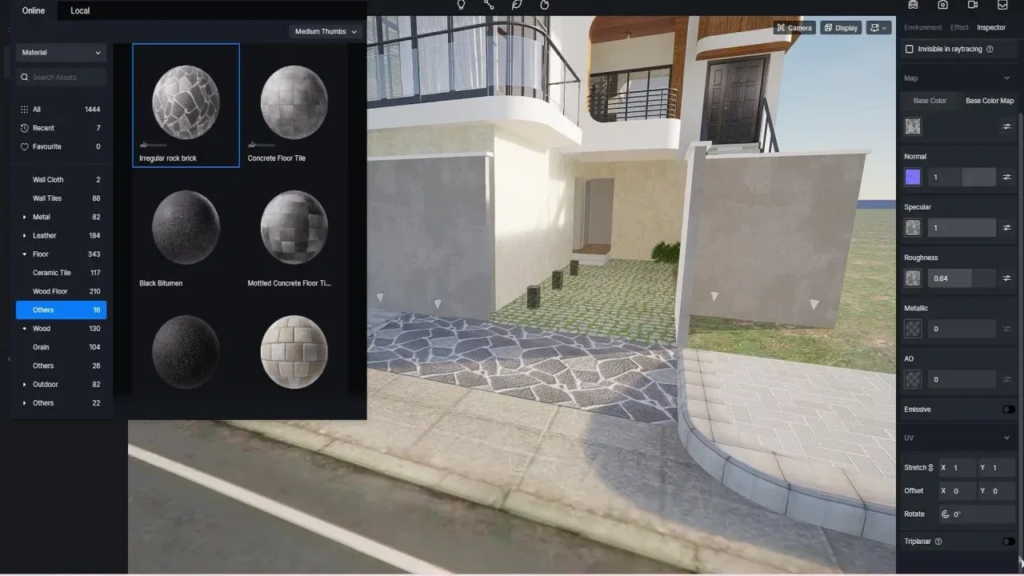
(Screenshot of Traditional design software demanding time and computing power)
This entire process can take days, especially when revisions are requested. Designers are frequently forced to work late, adjust assets on the fly, and re-render with little room for error.
Introducing AI-Powered Rendering with Plana
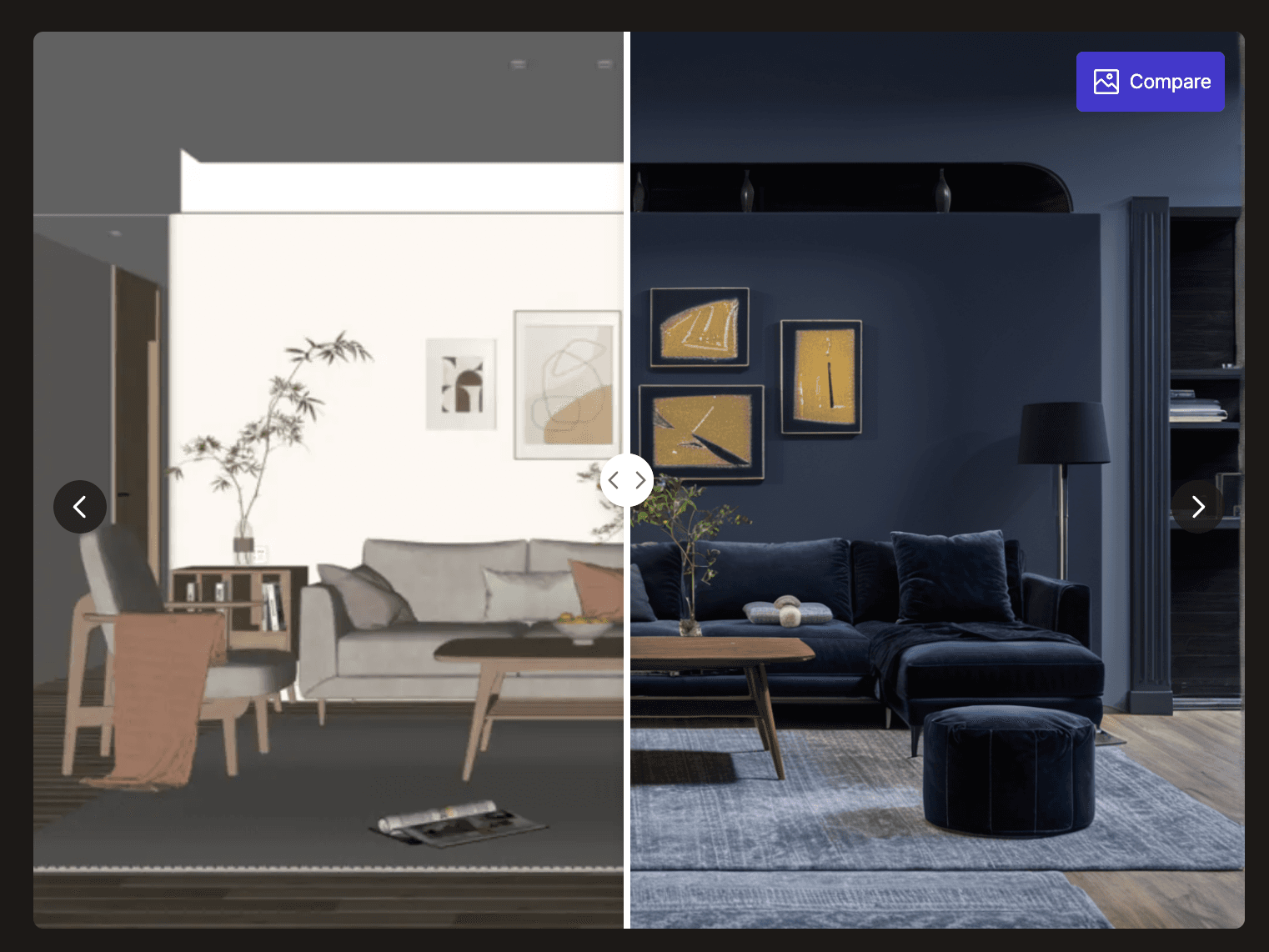
Plana was built to reduce that complexity without sacrificing quality. With Plana, architectural designers can bypass the manual pipeline and instead turn sketches and model views into photorealistic renders in minutes.
Here’s how it works:
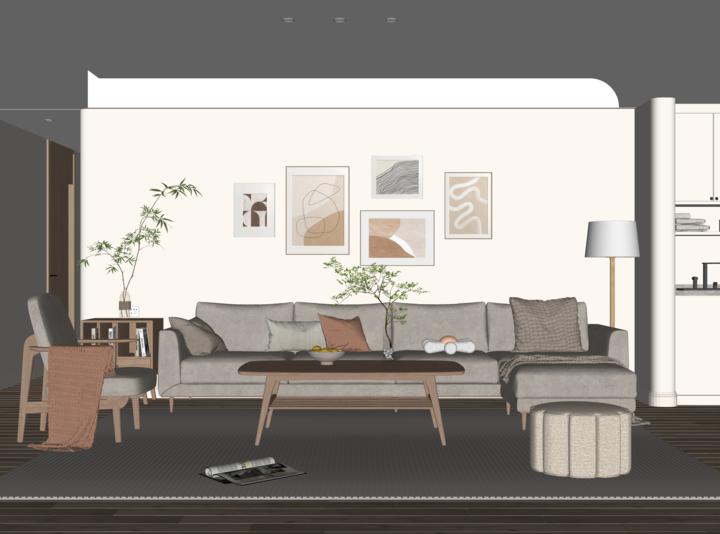
1. Upload a screenshot of your 3D model’s desired angle (this replaces camera setup).
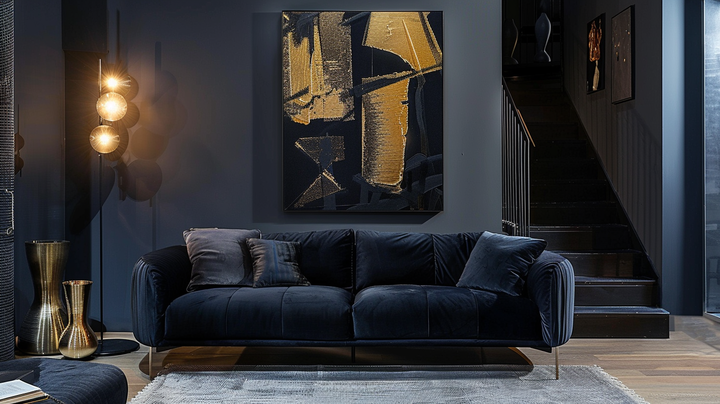
2. Add a reference image that captures your intended look, including materials, lighting, mood, or structure.
3. Let AI do the rest. Plana’s Deep Think reads both inputs together with your prompt, separates what to keep from what to change, shows you that plan, and then generates a complete render with materials, lighting and photorealism inferred from your intent.
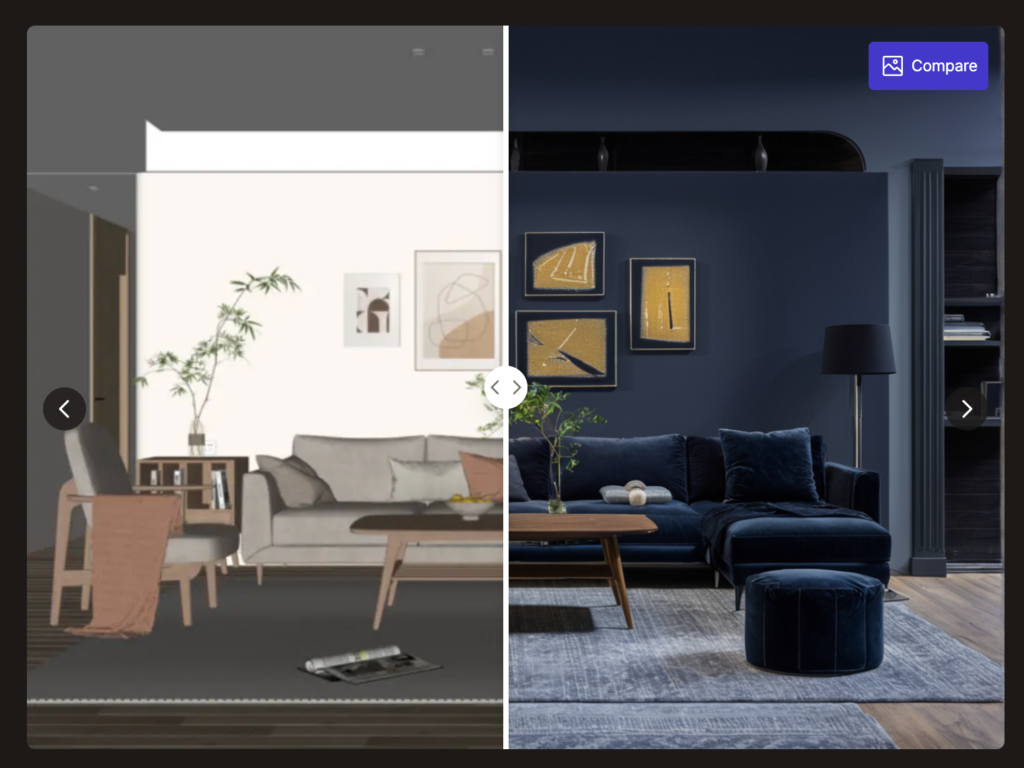
(Input model view and the AI-rendered result)
There’s no need to worry about complex texture settings, lighting schemes, or rendering passes. If something looks off, just re-upload your reference or tweak the framing.
For architectural designers, this means:
- Faster iteration on concepts and styles
- Shorter turnaround for client approvals
- Less time spent troubleshooting technical settings
- More focus on design thinking and storytelling
Built-In Tools Designed for Architects
Plana isn’t just fast, it’s smart. The platform offers intuitive tools tailored specifically for the spatial design industry. These aren’t just AI add-ons; they’re deeply integrated features that replace traditional workflows while improving upon them:
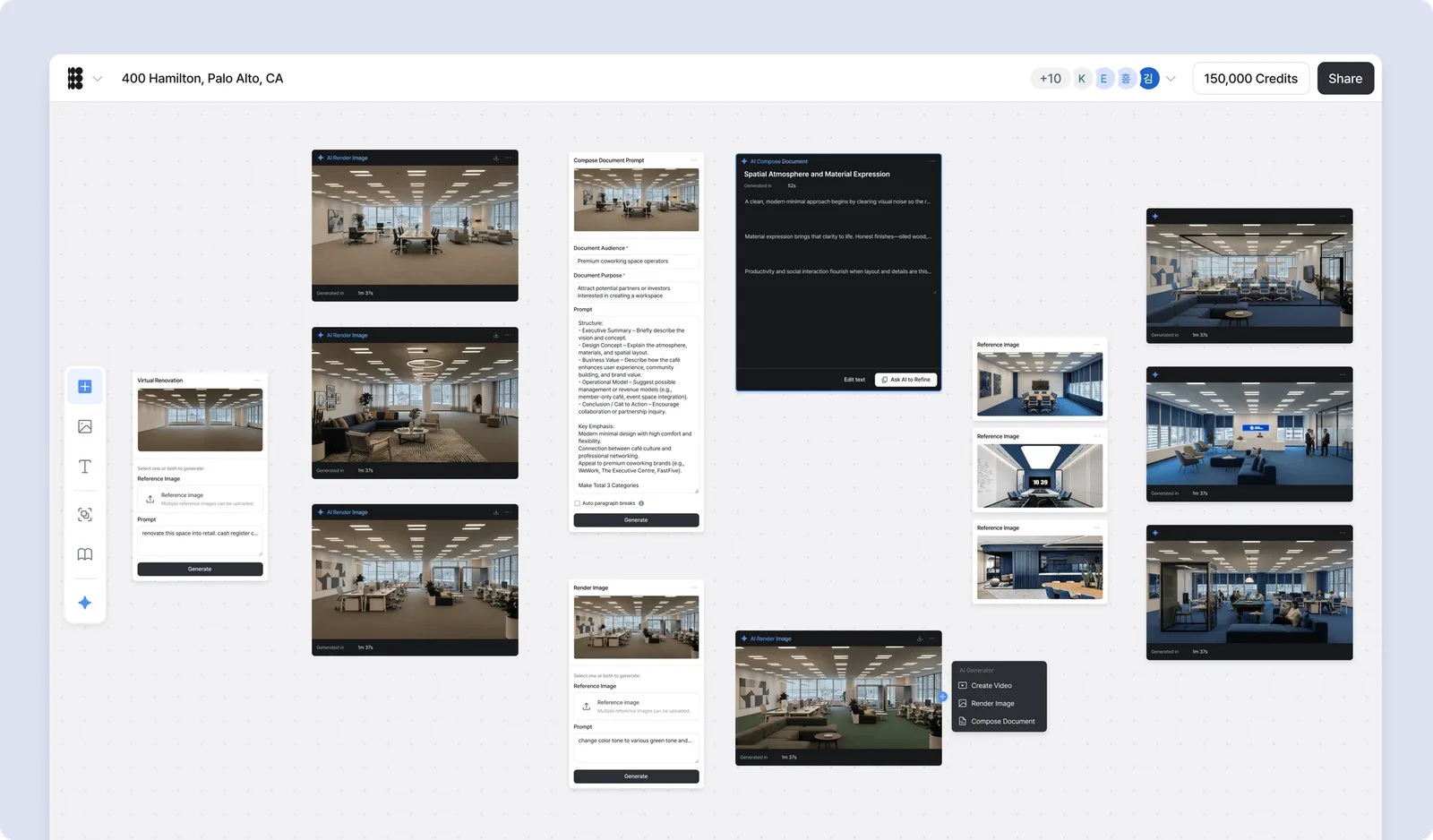
- Render Image turns sketches, model views and photos into photorealistic architectural renders, ideal for client-facing proposals or early concept visualization.
- Deep Think reads your images and prompt together, separates what to keep from what to change, and shows its plan before it generates.
- Virtual Renovation reimagines existing spaces with AI-powered renovation and staging.
- Edit only what you paint: paint over one part of an image and change just that area, without starting over.
- Create Video turns renders into cinematic walkthrough videos.
- Node-based workflows and real-time collaboration keep a project’s renders, documents and videos on one shared canvas.
With these features, Plana doesn’t just replicate traditional workflows, it enhances them. The tools are focused, intentional, and built to eliminate busywork while letting design intent lead.
What Happens When You Remove Bottlenecks?
AI rendering isn’t just about moving faster. It’s about unlocking value.
For design teams:
- You can generate multiple variations in one afternoon instead of one version per week.
- Small firms without in-house rendering specialists can deliver polished visuals to clients without extra hires.
- Marketing and sales teams get access to high-quality visuals early, before construction even begins.
For enterprise clients:
- Scale output across markets and departments.
- Reduce overhead on hardware and rendering infrastructure.
- Bring spatial visualization to parts of your business where it was never possible before.
And for architects and designers, it means going home on time. Revisions no longer derail your schedule. Creativity isn’t limited by what your rendering software allows. The design process becomes agile.
A More Accessible Future for Spatial Design
The promise of generative AI isn’t just speed. It’s accessibility and flexibility.
Designers no longer need to master every tool in the rendering pipeline to produce client-ready work. With tools like Plana, architectural creativity becomes less constrained by technical know-how and more driven by vision and context.
That’s especially important as spatial design expands into more industries: real estate, retail, and commercial planning. These fields don’t always have access to full architectural teams, but they still need high-impact visuals.
Plana makes that possible.
Try It Yourself
Explore what faster rendering can mean for your business, your team, and your creative output.
Plana offers a 7-day free trial of its Max plan with no credit card required → useplana.ai