Rendering Software Matters
In the architectural design industry, overtime is often more the rule than the exception. For architectural designers, long working hours are driven not just by project deadlines and client expectations but by the tools they depend on—particularly rendering software. The rendering process is incredibly resource-intensive, demanding both time and computing power.
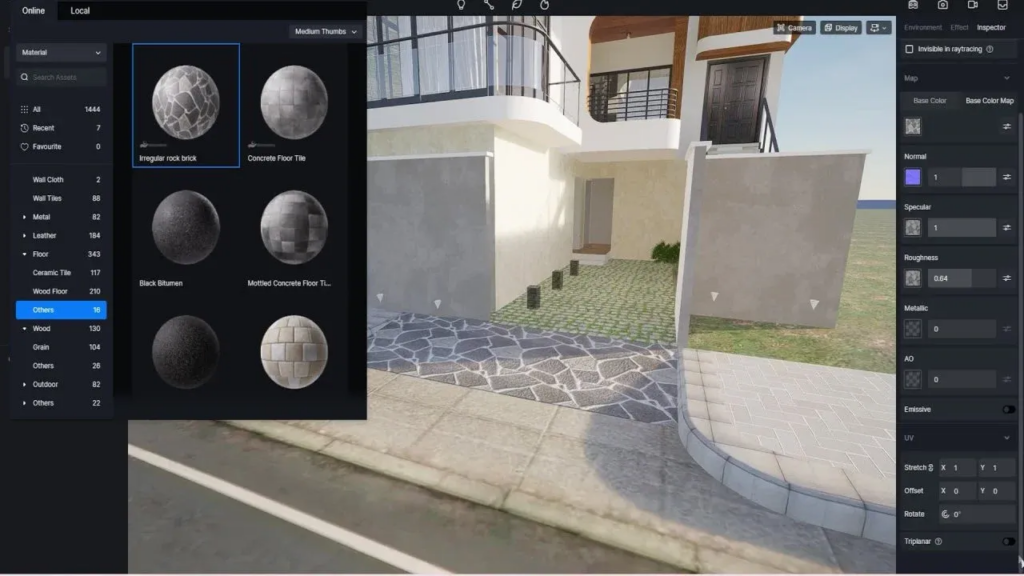
3D Rendering: What Architectural Designers Care the Most
Rendering is far more complex than clicking a button and waiting for an image to appear. Also, creating high-quality renderings demands advanced software, considerable computational power, and—above all—time. This time-intensive process is often unpredictable and, for designers, leads to a constant need to work beyond standard hours to meet client demands.
The unpredictable nature of rendering times means designers can’t always control when their work will be done. A project might require last-minute changes or adjustments to align with a client’s vision, and with tight deadlines. There’s often no room to wait for renders to finish during the normal workday.
As a result, designers have to monitor renderings into the night to ensure everything aligns with client expectations. The longer the rendering process, the longer the hours for designers.
One AI Solution To Save Your Time: Plana
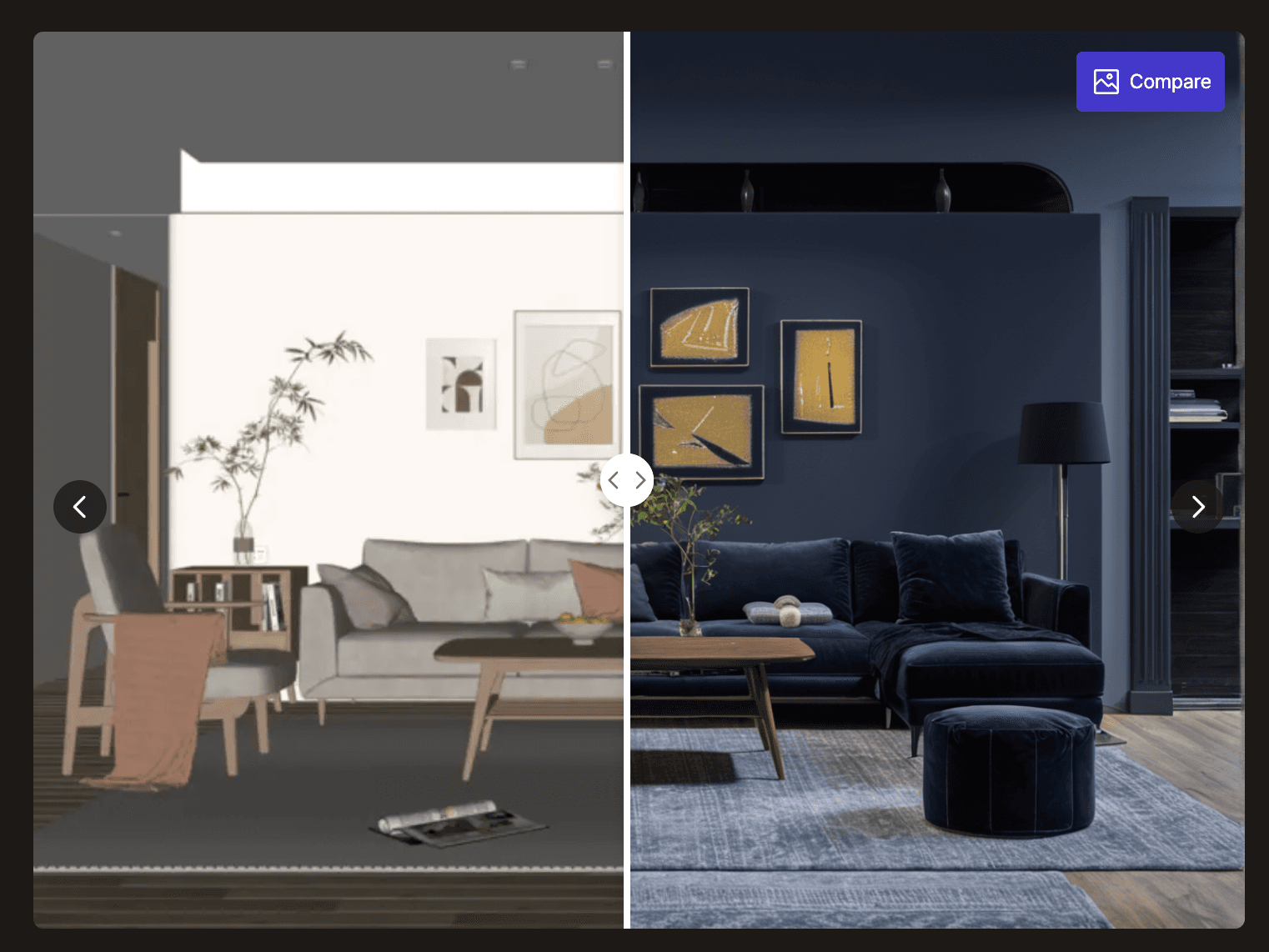
To address this problem, AI-powered rendering just might provide the most viable solution at the moment. The tedious and lengthy process of 3D rendering: UV mapping, texture assignment, texture mapping, lighting setup, camera setup, applying the desired rendering logic, post-processing and exporting the final product can be reduced to simply uploading a reference image that implicitly contains all those information.
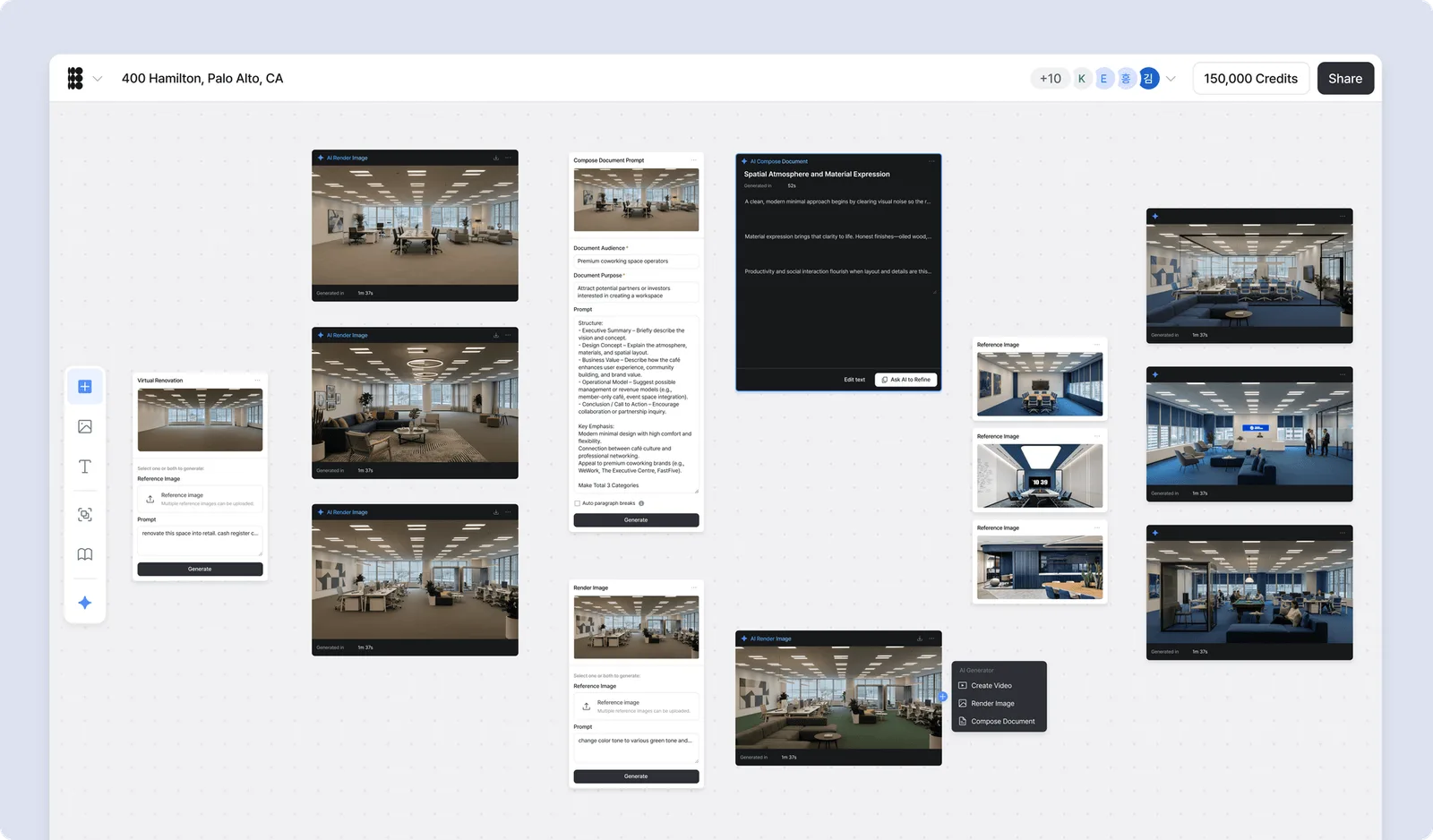
How AI Can Create Renders for Architectural Designers
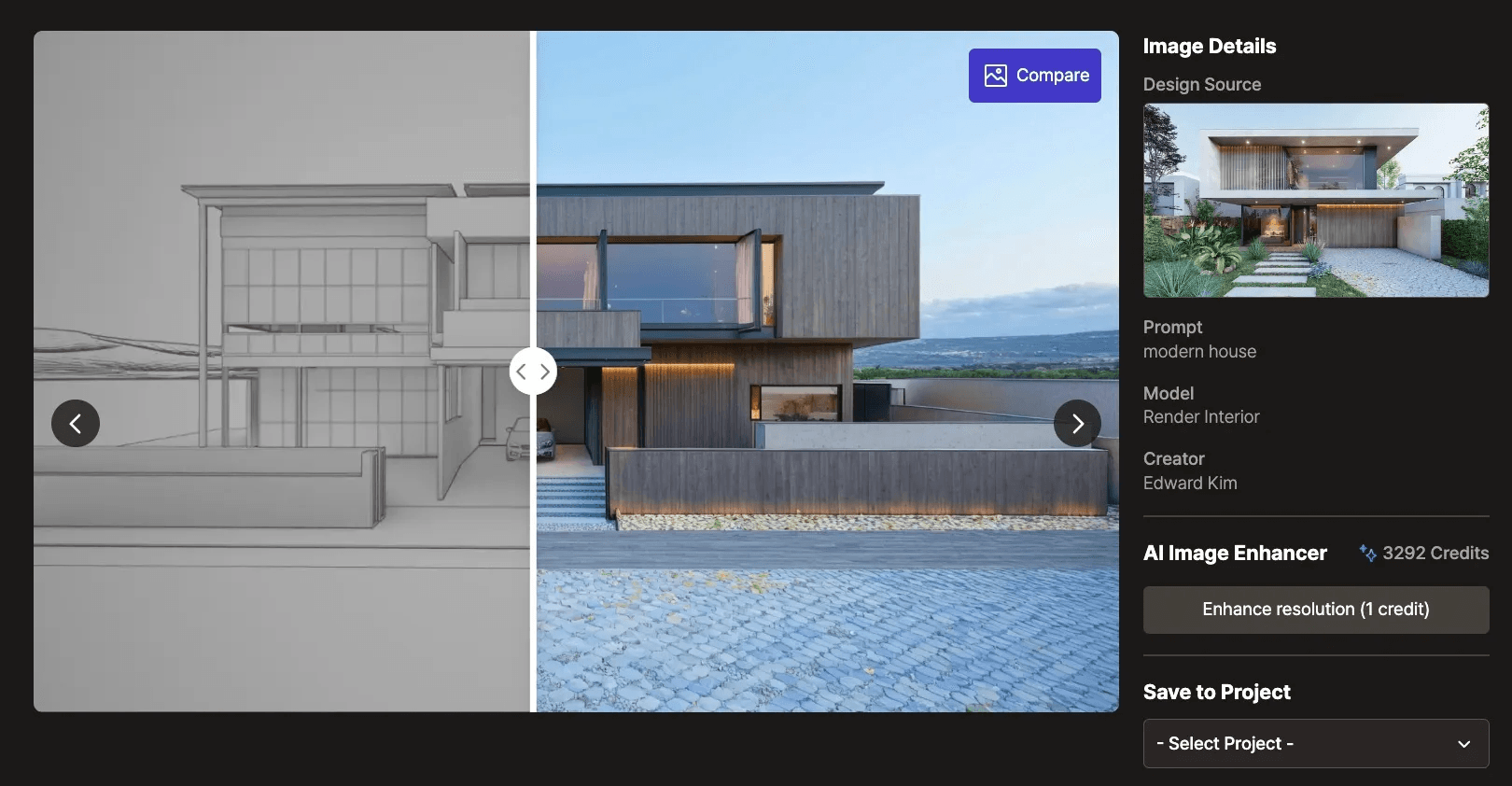
Just upload a screenshot of the desired viewpoint of the 3D modeling file (which effectively replaces the camera setup) and a 2D reference image containing all the design elements. Then the AI extracts information from the two inputs, and emulates the manual texturing and rendering process in minutes. The reference image provides the information required in the stages of texture assignment, texture mapping, lighting setup, and post processing. Once the extraction ends, it simulates a rendering logic with those information and applies it on the input screenshot.
Since there is no conversion from a 3D asset to a 2D image, this eliminates the need for UV mapping and exporting. Post-processing? No worries. In Plana you can paint over the part you want to change and edit only that area, and export results at up to 4K resolution.
Try It Now: 7 Days Free, No Cards Required
Texturing and rendering are merely a fraction of what architectural designers do. With AI-powered rendering tools, architectural designers can save tremendous time and cost, enabling them to spend those resources on more crucial aspects that require the delicacy of human touch. Plana is built to change how architectural designers work and to become an everyday part of the design process. Start a free trial and see how AI can help you go home for dinner.